修改主题配置文件_config.yml
1
2
3
4
5
6
7
8
9
10
11
12
13
|
custom_file_path:
style: source/_data/styles.styl
|
把style属性值打开,这就是我们自定义样式的文件及路径
如果该路径下没有文件需要自行创建
修改styles.styl文件
在文件中加入以下代码:
1
2
3
4
5
6
7
8
9
10
11
12
13
14
15
16
17
18
19
20
21
22
23
24
25
26
27
28
29
30
| // 添加背景图片
body {
background: url(/images/background.png);//自己喜欢的图片地址
background-size: cover;
background-repeat: no-repeat;
background-attachment: fixed;
background-position: 50% 50%;
}
//博客内容透明化
//文章内容的透明度设置
.content-wrap {
opacity: 0.85;
}
//侧边框的透明度设置
.sidebar {
opacity: 0.85;
}
//菜单栏的透明度设置
.header-inner {
background: rgba(255,255,255,0.85);
}
//搜索框(local-search)的透明度设置
.popup {
opacity: 0.85;
}
|
注意到这里的图片文件的实际位置是:.../themes/next/source/images/
注意事项
如果部署报一下错误,这需要调整Hexo配置
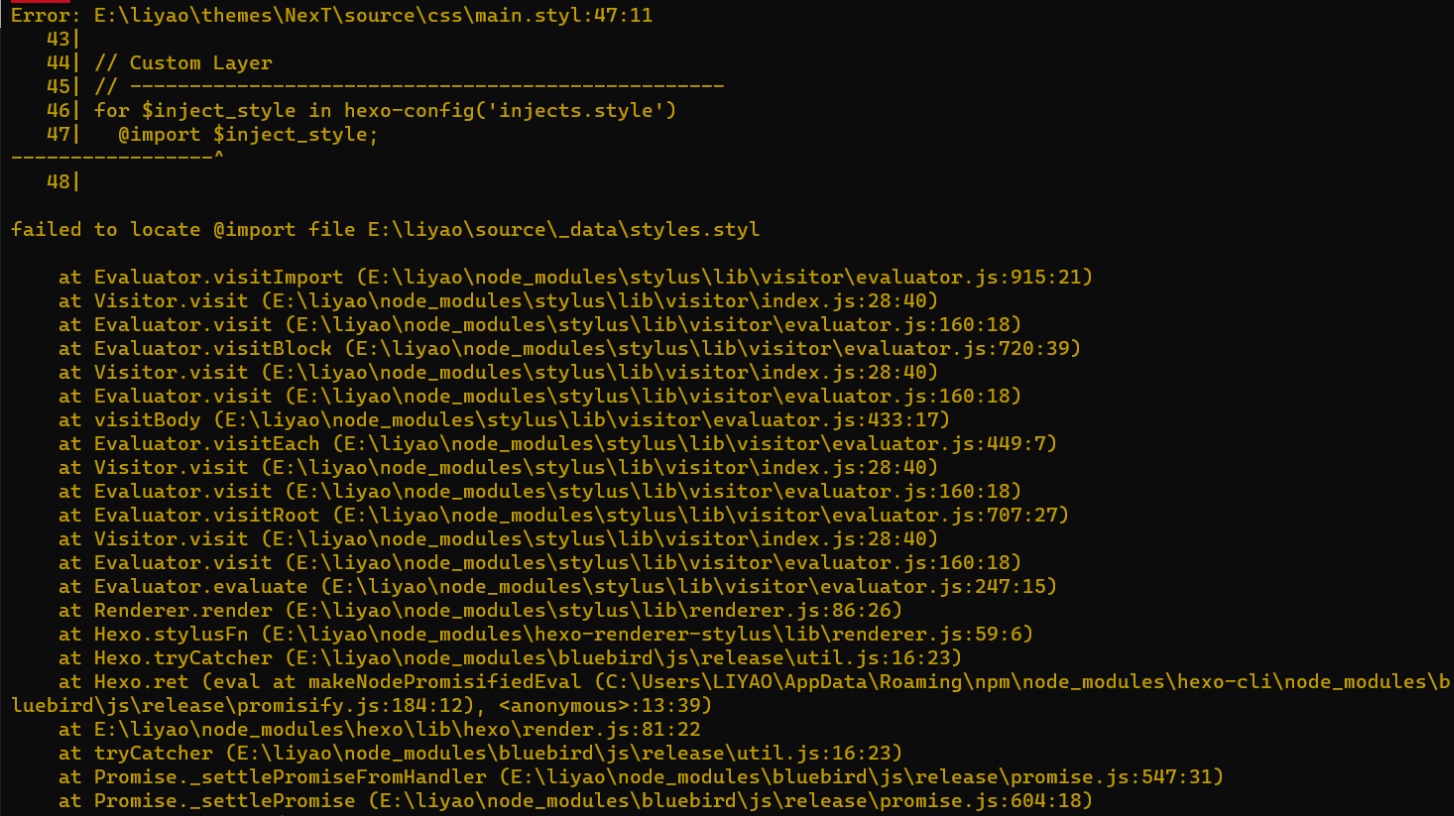
找到...\themes\next\source\css路径下的main.styl文件,修改如下配置
1
2
3
4
5
|
@import "../_data/styles.styl";
|
这里特别要注意styles.styl文件的路径一定要对,是相对于main.style文件的路径!
配置好后,使用hexo g与hexo s命令部署启动查看效果即可